
AI pre-screening for clinical trial enquiries
Ayla calls new enquiries, works through the screening questions your team sets for a study and records each answer so coordinators can review the result.
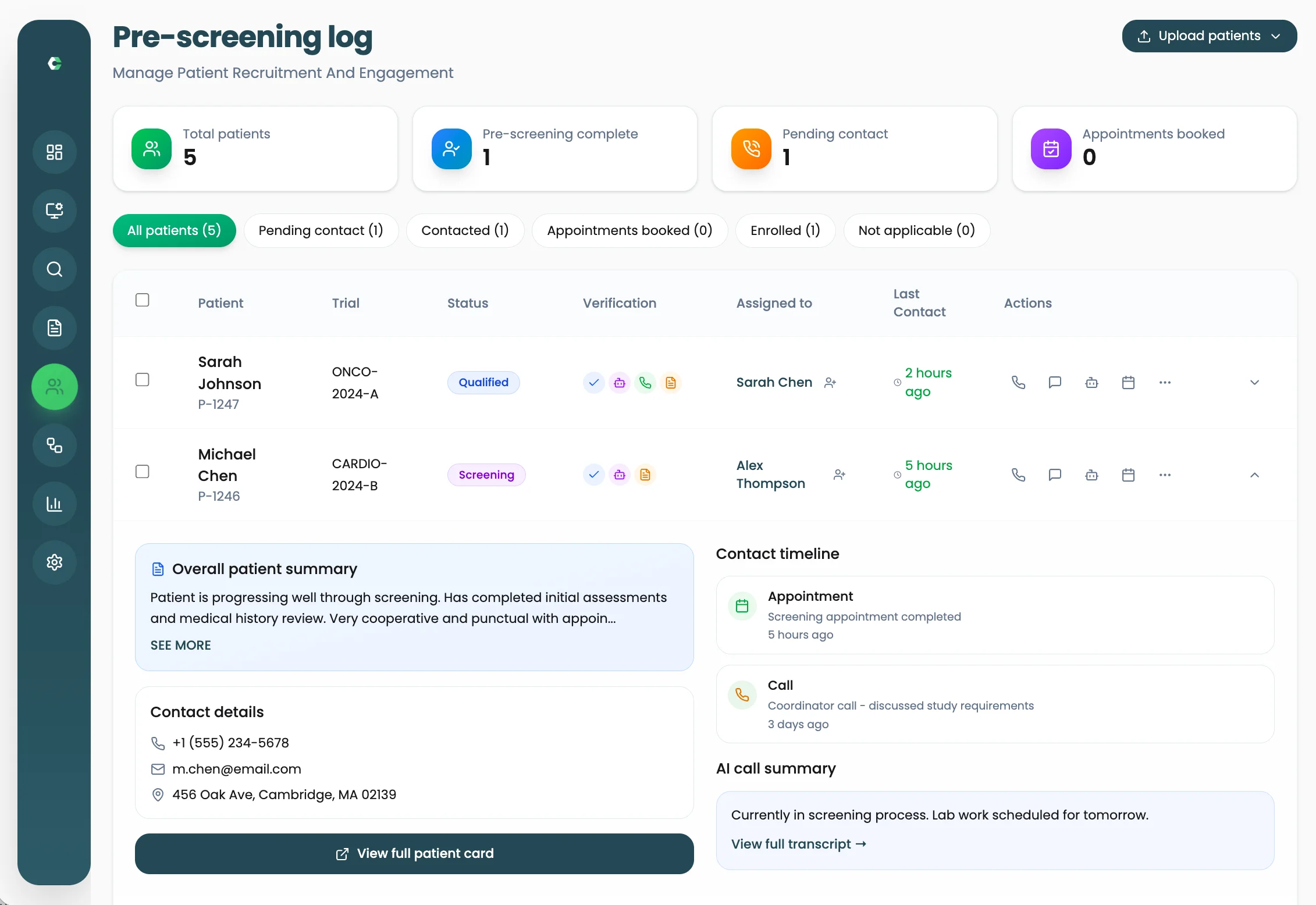
What AI pre-screening does
When an enquiry arrives, someone has to make the first call and ask the same opening questions. AI pre-screening lets Ayla handle that first conversation using the questions configured for the study.
Answers are captured in a structured form against the patient record, checked against the inclusion and exclusion criteria your team has defined, and the call is recorded and transcribed. Conversations that are sensitive, complex or need human judgement are flagged for your staff.
Pre-screening is a first filter, not an eligibility decision. Your site team reviews the outcome and decides the next step.
Worked example: an evening enquiry
Illustrative scenario with synthetic details. A fictional adult enquires about a fictional study through a site landing page after hours.
- Step 1
Enquiry received
The landing page form creates a new patient record in Clinrol Connect with the study attached.
- Step 2
Ayla calls
Following the configured workflow, Ayla calls the patient and introduces the study screening call.
- Step 3
Protocol questions
Ayla asks the study's screening questions and records each answer in a structured field.
- Step 4
Criteria check
Answers are compared against the inclusion and exclusion criteria the site configured.
- Step 5
Staff review
The coordinator opens the record next morning, reads the transcript and decides whether to book a visit.
What ai pre-screening includes
Protocol-specific questions
Screening questions are set per study rather than a single generic script.
Structured answers
Responses are stored as data on the patient record, not only as free text.
Recording and transcript
Each call can be recorded, transcribed and kept with the patient history.
Human escalation
Sensitive, complex or high-priority conversations are flagged for your team.
Frequently asked questions
- Does AI pre-screening decide whether a patient is eligible?
- No. It records answers to the study's screening questions and checks them against the criteria your team configured. Site staff review the result and make the decision.
- Who writes the screening questions?
- Your site team defines the questions and criteria for each study. Clinrol helps configure them during onboarding.
- What happens when a patient needs to speak to a person?
- Ayla flags sensitive, complex or high-priority conversations for your team so a staff member can follow up personally.
- Can we still screen by phone ourselves?
- Yes. Staff can run screening calls from Clinrol Connect, and AI pre-screening is optional per workflow.
Works alongside
Staff calling
Make and receive patient calls inside Clinrol Connect, with recordings, transcripts and call history on the patient record.
Read about staff callingScheduling
Book qualified patients into staff calendars from the patient record, with automated reminders before each visit.
Read about schedulingRecruitment analytics
Track funnel performance, conversion, drop-offs and staff workload across studies in one view.
Read about recruitment analyticsSee ai pre-screening with your own study in mind
Book a walkthrough of Clinrol Connect and bring your screening questions and recruitment workflow.