
01
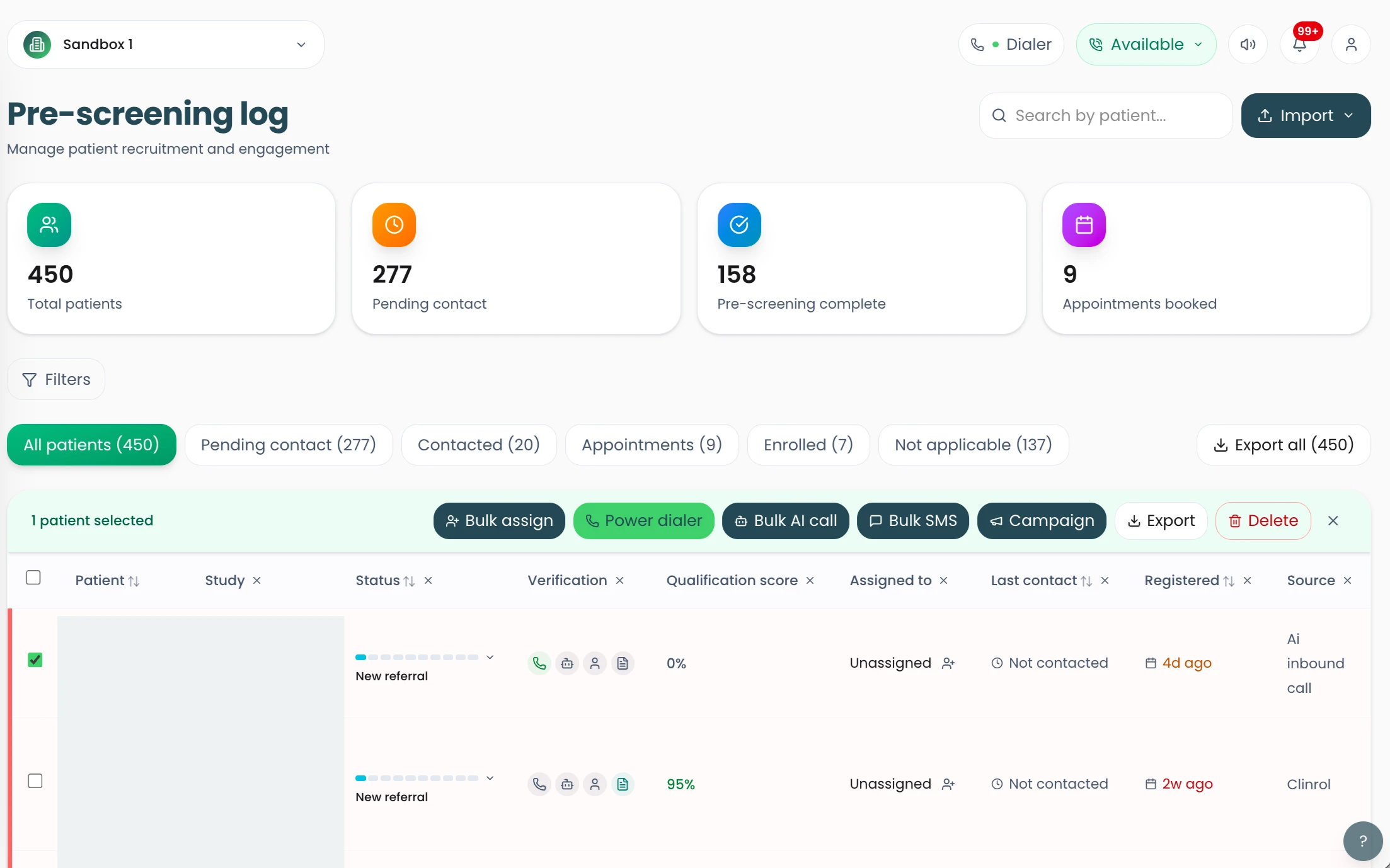
View patients on the pre-screening log
See screening and follow-up activity for your studies in one log.
Bring screening, patient communication, recruitment workflows, appointments and reporting together with Clinrol Connect.
Each step writes to the same patient record, so the next person always has the context.
Ask protocol-specific questions early so coordinators spend their time with people who may be a fit.
Ayla, the AI agent in Clinrol Connect, calls patients, asks protocol-specific questions and records structured answers for staff review.
Explore ai pre-screeningAutomated screening across calls and forms aligned to your protocol.
Explore ai eligibility checksA published customer case study reports AI-assisted patient prioritisation by likelihood of qualifying. Availability and setup for other sites must be confirmed.
Explore patient prioritisationReach patients by phone and SMS, with every conversation kept against the patient record.
Make and receive patient calls inside Clinrol Connect, with recordings, transcripts and call history on the patient record.
Explore staff callingUse short text follow-ups, reminders and re-engagement messages with patient-record context and coordinator review.
Explore sms workflowsUse longer study information and email follow-up to support the next staff conversation in the patient journey.
Explore email workflowsReconnect with previous enquiries and organise appropriate follow-up without treating earlier interest as current eligibility.
Explore patient re-engagementMove qualified patients into visits without a separate diary or spreadsheet.
See where each study's recruitment funnel is moving and where it is stalling.
Explore study-system, CRM and Meta lead-ad connections; availability and scope depend on setup.
A published customer case study documents one Clinrol Connect integration with a CTMS. Compatibility and scope for other systems are not established.
Explore ctms connectionsAsk about Meta lead-form capture and enquiry routing for your campaign. Availability depends on campaign setup.
Discuss Meta lead adsClinrol can work alongside existing CRM systems. Available connections and scope depend on the system and implementation.
Discuss CRM connectionsClinrol Recruit is a separate service from Clinrol Connect site software. It brings together patient acquisition, screening, medical verification where required and site-ready referrals.
Recruitment campaigns can draw on paid digital and traditional advertising, HCP referrals, advocacy networks, organic search, patient databases and community outreach.
Explore patient acquisitionClinrol Recruit combines AI and custom web-based screening with phone screening by trained clinical staff.
Explore screeningClinrol Recruit verifies diagnosis, medication history and relevant medical details where required before site referral. The scope depends on the study.
Explore medical verificationResearch sites receive verified candidates through a secure referral pathway with structured screening notes. Sponsors can view live funnel data across campaigns, channels, sites and regions.
Explore site referralsScreens from the product, shown for illustration.
01
See screening and follow-up activity for your studies in one log.
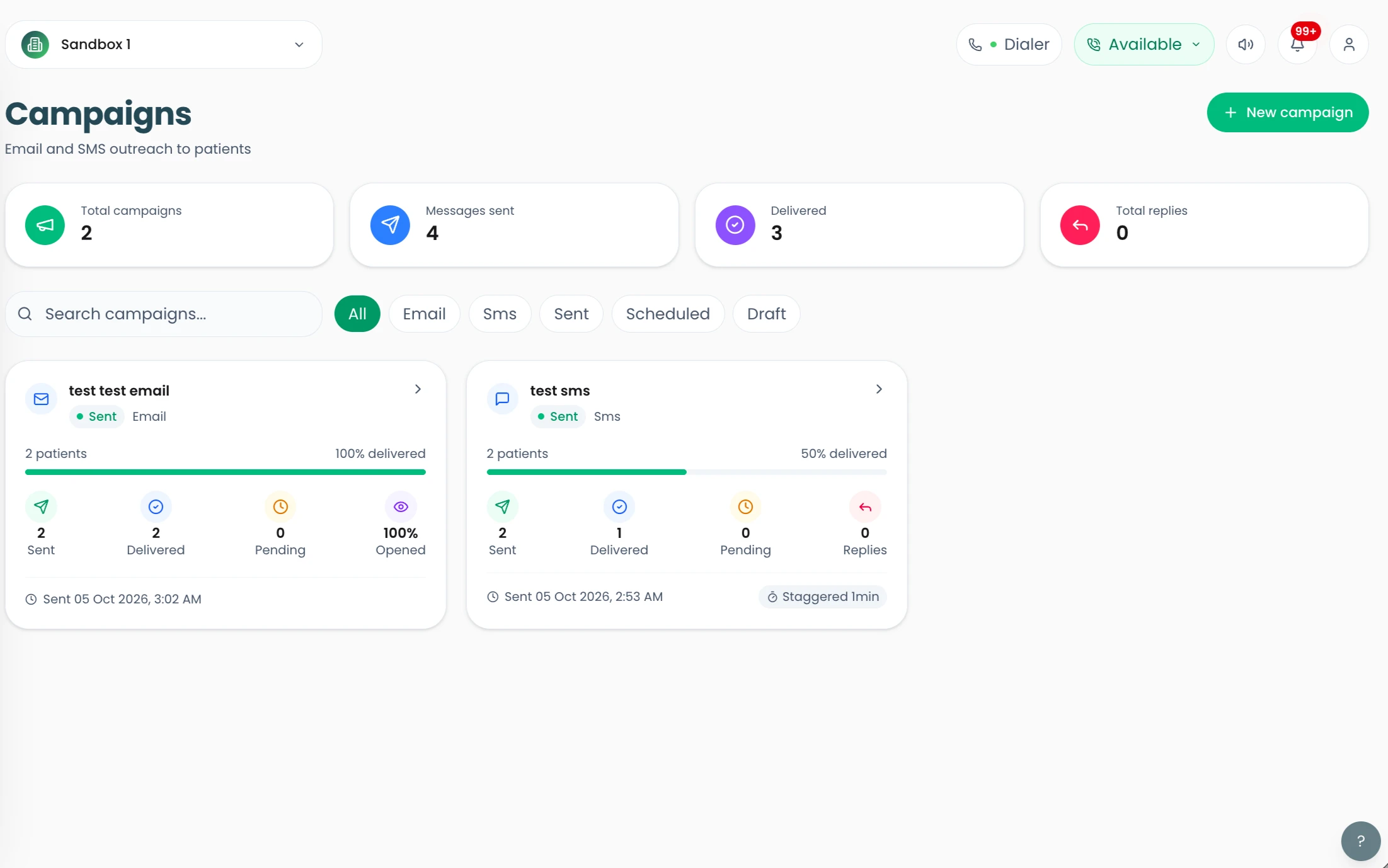
02
Reach patients by SMS or phone from their record, so conversations stay alongside their recruitment history.
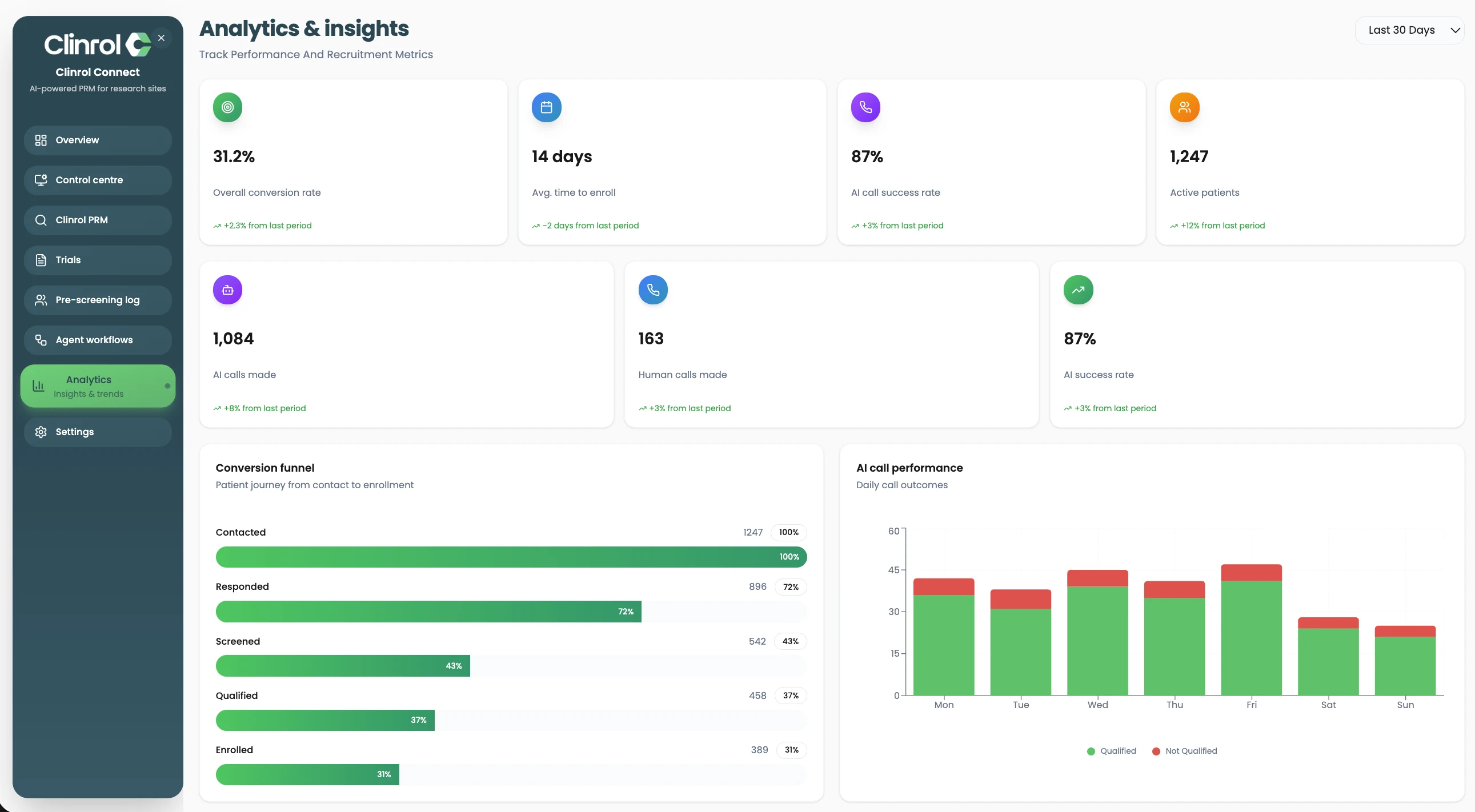
03
Follow recruitment stages and call activity in a clear view.
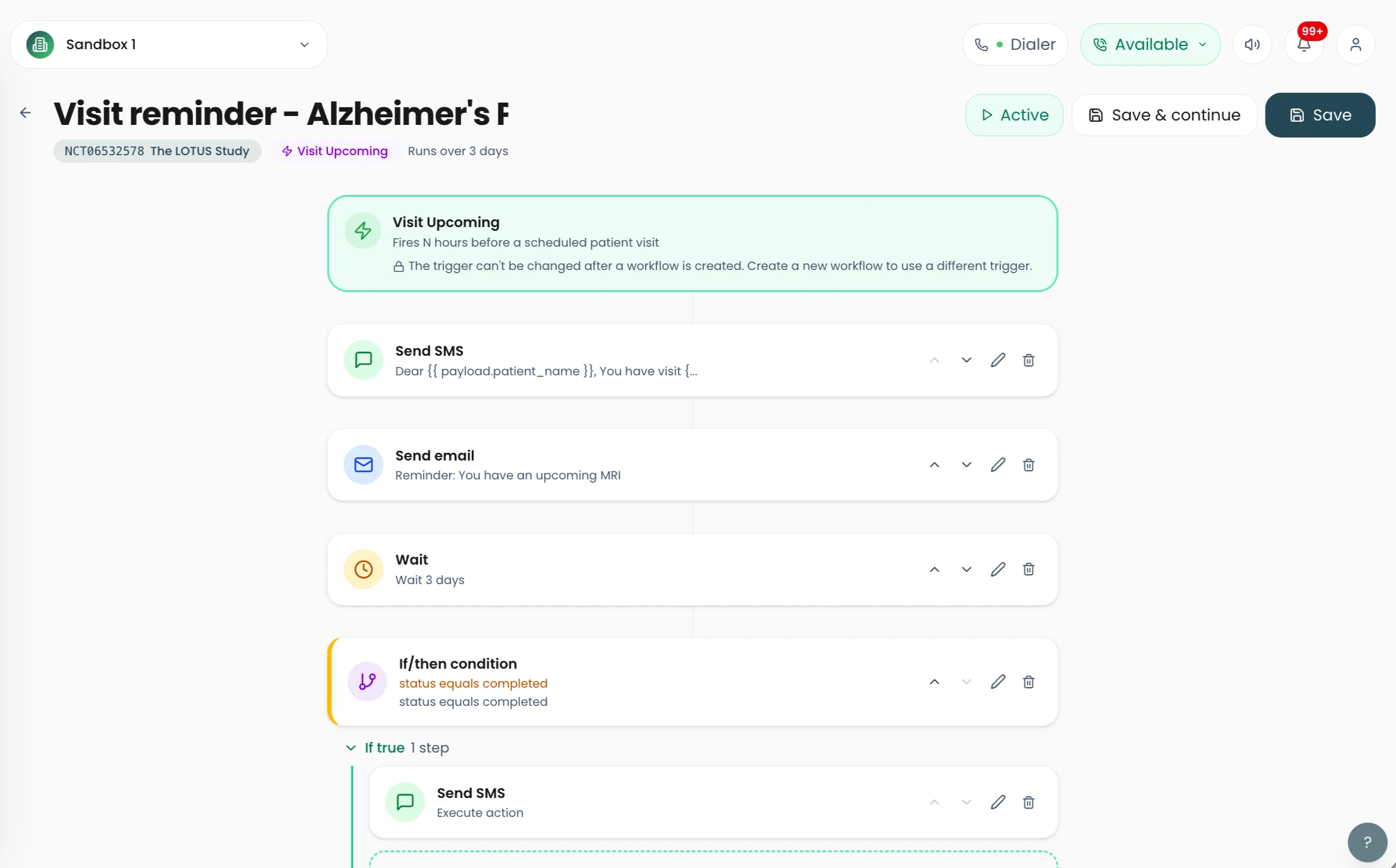
04
Organise recruitment steps so your team knows what comes next for each patient.
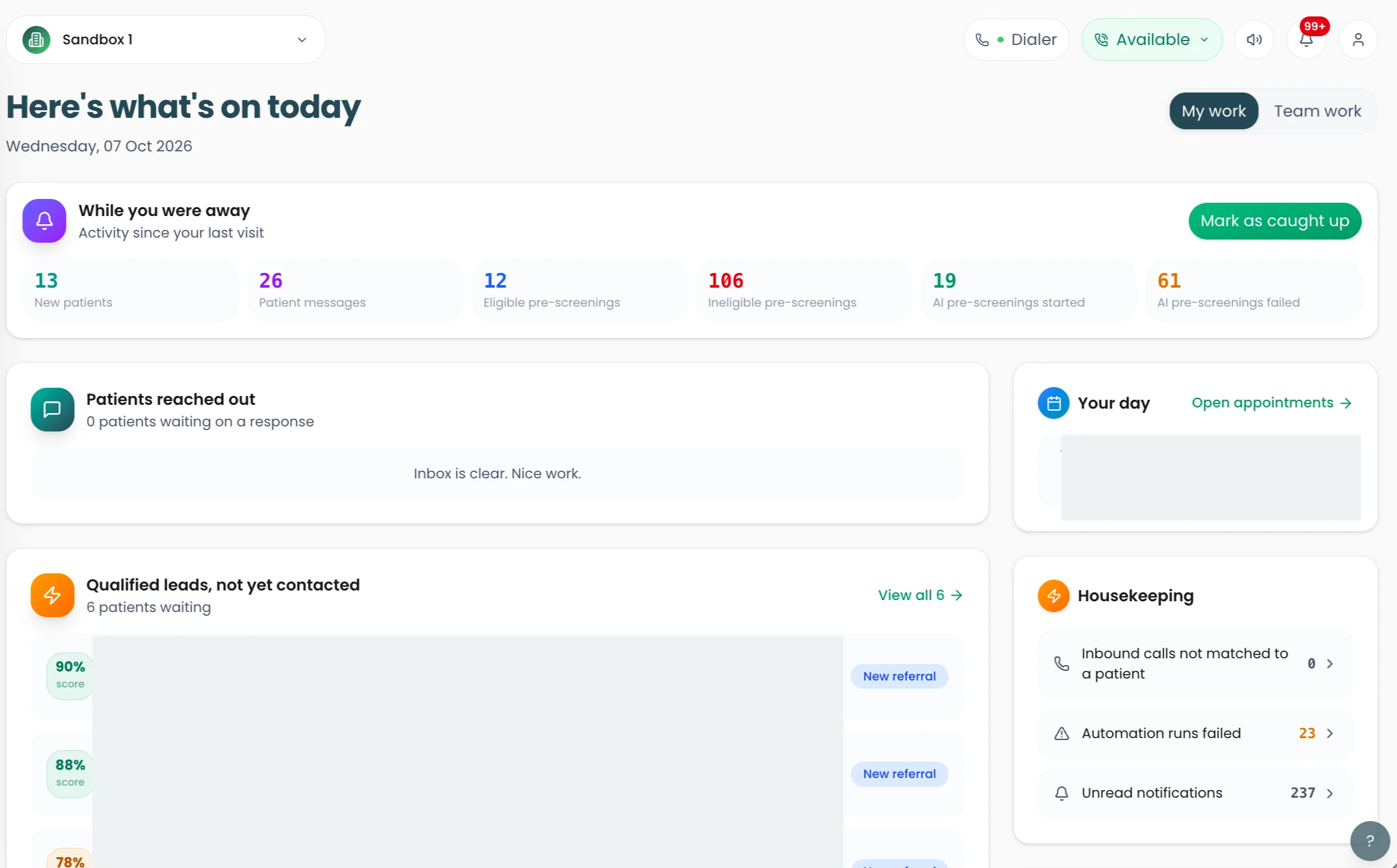
05
Start the day with the tasks and follow-ups that need attention.
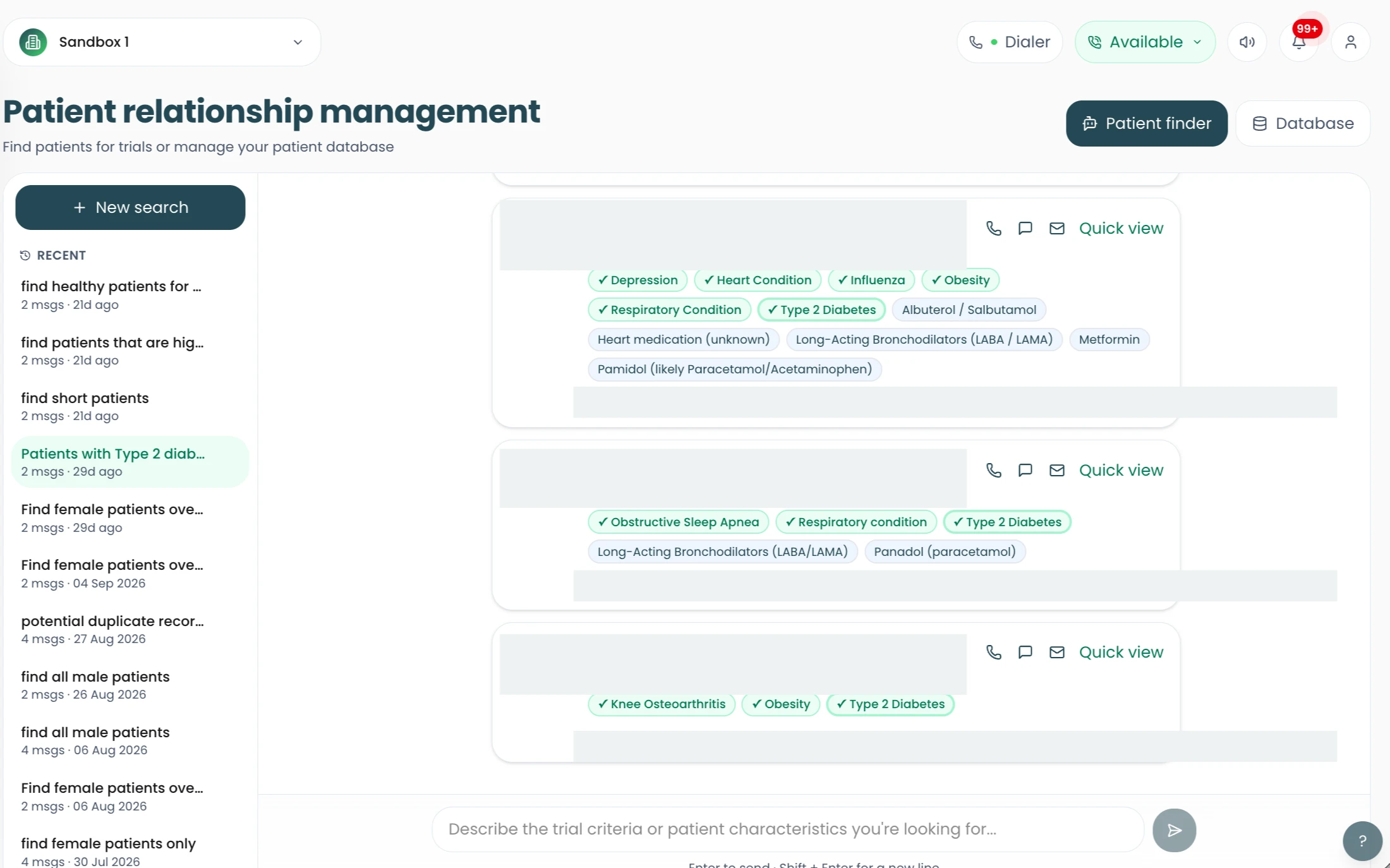
06
Manage your patients in the patient relationship management workspace and use AI Patient Finder to help locate patients who may suit a study.
Walk through Clinrol Connect with the team and bring your current recruitment workflow.